Rompetrol
Integrating Rompetrol Data into the TrackGPS Application
This document outlines the steps necessary to integrate Rompetrol data into the TrackGPS application. Please follow the instructions carefully to ensure a smooth integration.
1. Obtaining Access Data
- Contact the Rompetrol sales team to request access to your data.
- Following your request, you should receive the following information:
- Username
- Password
2. Configuration in the TrackGPS Application
-
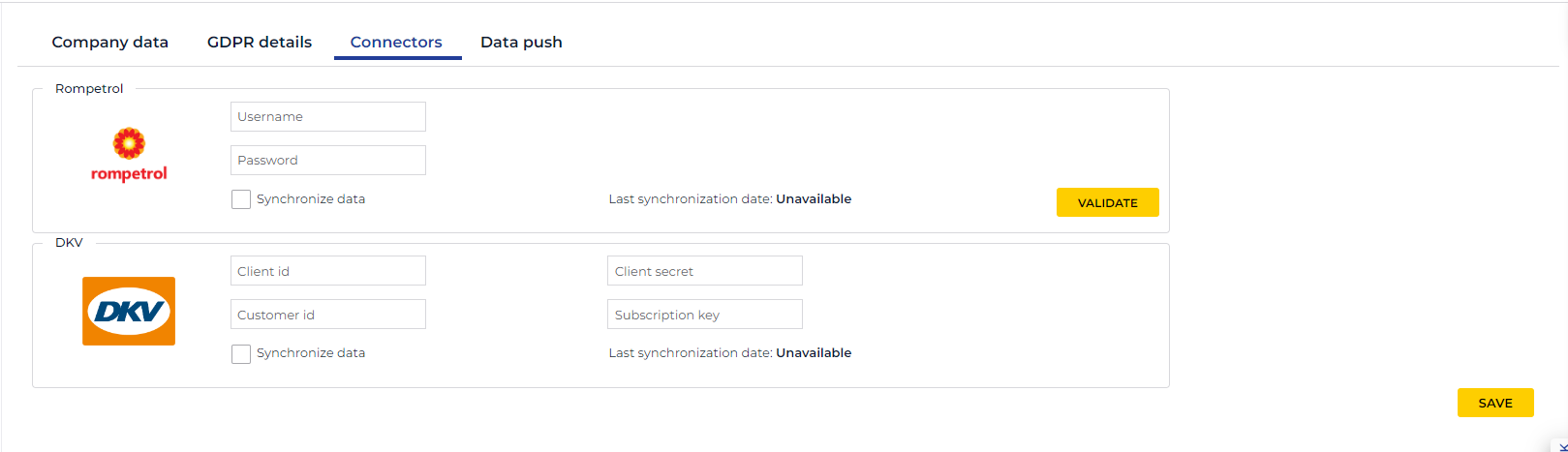
Add the obtained information in the Company Settings -> Connectors -> Rompetrol section of the TrackGPS application.
-
Check “Synchronize data”.
-
Save
Info
If you wish to stop automatic data synchronization, uncheck the “Synchronize data” option and save.